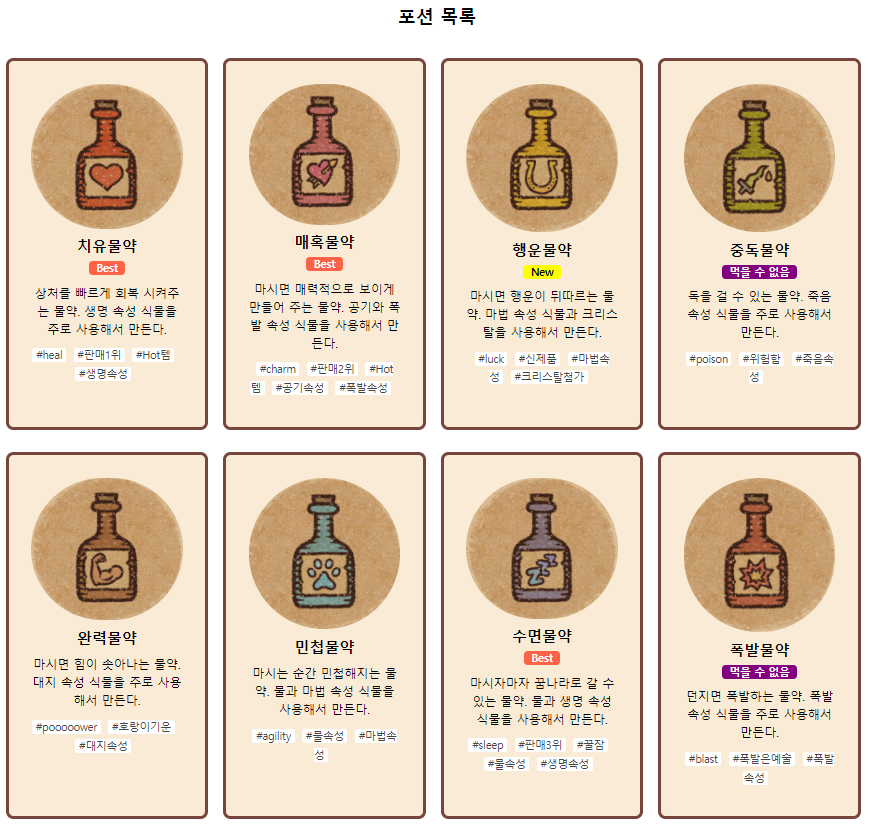
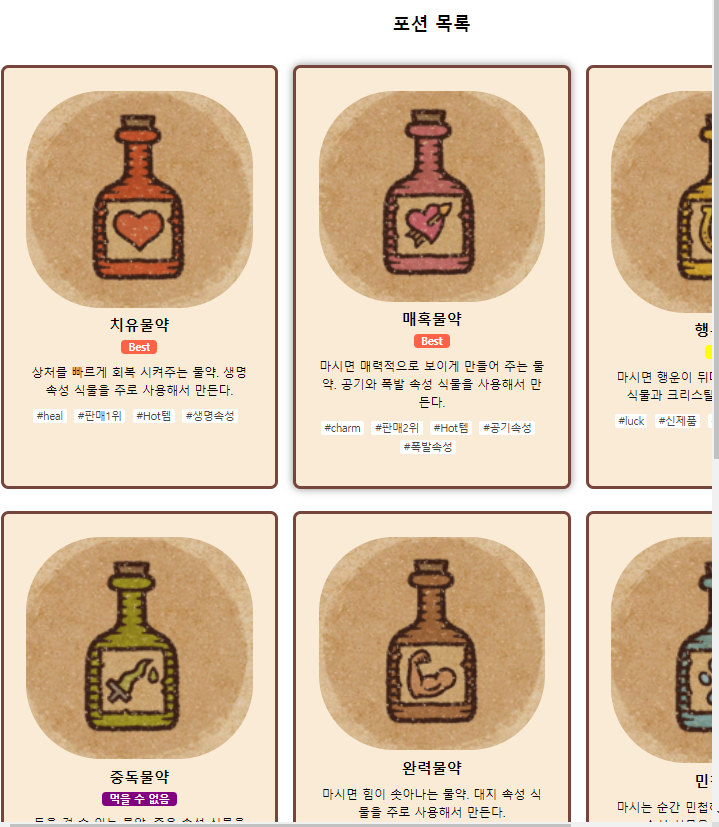
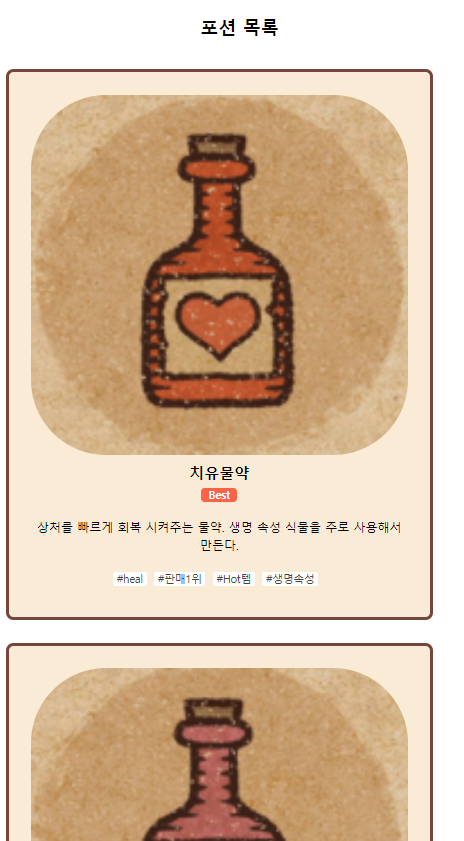
그림과 글이 함께 있는 박스 배치 2
✒️ 2025-05-16 13:05 내용 수정
실습 목표
- 하위 레이아웃 배치 스타일 2를 실습한다.
- 코드는 수업 때 사용한 내용을 변형하였고, 내용은 게임 Potion Craft에 등장하는 포션을 사용하였다.
- HTML, js 파일은 그림과 글이 함께 있는 박스 배치 1에서 사용한 내용을 그대로 사용하였고, CSS만 변경했다.
실습 흐름
- HTML을 레이아웃 구조별로 작성한다.
- 데이터를 저장할 javascript를 작성 후 다른 js 파일에 내보낸다.
- 데이터를 받아 HTML에 작성할 내용을 쓴 js 파일을 HTML에 연결한다.
- 구조에 맞게 CSS를 적용한다.
배치 그림
- 아이템을 아래 그림처럼 배치하는 HTML과 CSS를 작성한다.
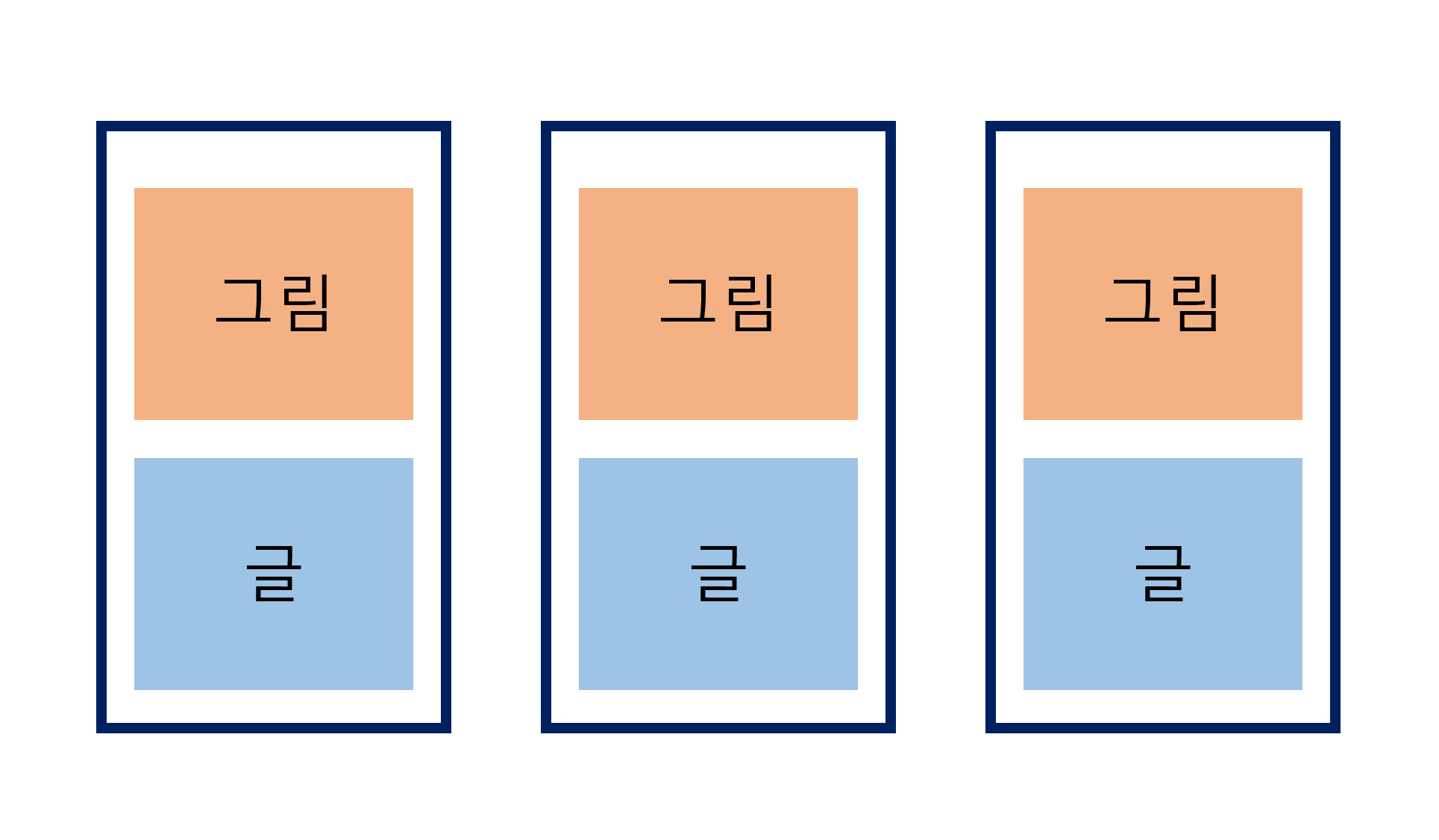
CSS
- 각 요소의 배치 상태에 따라 작성한다.
*{margin:0; padding:0; box-sizing: border-box;}
/* content 설정 - 폭은 100% */
.content{width: 100%; padding:120px 0;}
/* inner 폭과 margin 설정 - 기본 설정 */
.inner{width:1170px; margin:0 auto;}

.content .title{margin: 0 0 40px; text-align: center;}

/* content를 flex box로 설정 */
.content .wrap{display: flex; justify-content: space-between; flex-wrap: wrap;}

/* 글과 그림이 들어간 박스 설정 - 한 화면에 4개가 들어오도록 너비 조정 */
.potion .box{
    text-align: center;
    width: 270px; margin: 0 10px 30px; padding: 30px;
    border: 5px solid #76453B;
    border-radius: 10px;
    background-color: antiquewhite;
    transition: 0.3s;
}

/* 이미지 위치를 위쪽으로 설정 - block이므로 글자와 함께 쌓임*/
.potion .box img{
    width: 100%;
    border-radius: 100px;
    display:block;
}

/* new와 best 표시 설정 */
.potion .box .name span{
    padding: 0 10px;
    border-radius: 5px;
    text-transform: capitalize;
    font-size: 14px;
}
.potion .box .name .new{background-color: yellow;}
.potion .box .name .best{background-color: tomato; color:white;}
.potion .box .name .edible{background-color: purple; color:white;}

/* 박스 내 글 설정 */
.potion .box p{margin: 10px 0; line-height: 1.5;}
.potion .box .name{font: bold 20px 'inherit';}
/* 박스 내 해시태그 설정 */
.potion .box .hashtag span{
    background-color: white; margin-right: 10px; padding: 0 5px;
    border-radius: 3px;
    font-size: 14px; color: #444;
}

.potion .box:hover{box-shadow: 0 0 20px #444;}

@media screen and (max-width:1024px) {
    .potion .box{width: 370px;}
}

/* 미디어 쿼리 - 한 화면에 inner가 다 들어오고, 박스는 2개 배치로 설정 */
@media screen and (max-width:768px) {
    .potion .box{
        width:570px; padding:30px;
        display: flex; justify-content: center;
        flex-wrap: wrap;
    }
    .inner{width: 100%;}
}

/* 박스 미디어 쿼리 - 사이즈 변경과 글자 배치 변경 */
@media screen and (max-width:480px) {
    .potion .box{width: 100%;}
    .potion .box .name{text-align: center;}
}
페이지 구현에 사용한 기능 체크
- 마우스를 올려 놓으면 그림자 효과 생기게 설정
.potion .box:hover{box-shadow: 0 0 20px #444;}
- 해시태그 설정
.potion .box .hashtag span{
    background-color: white; margin-right: 10px; padding: 0 5px;
    border-radius: 3px;
    font-size: 14px; color: #444;
}
- 미디어 쿼리 설정
@media screen and (max-width:1024px) {
    .potion .box{width: 370px;}
}

@media screen and (max-width:768px) {
    .potion .box{
        width:570px; padding:30px;
        display: flex; justify-content: center;
        flex-wrap: wrap;
    }
    .inner{width: 100%;}
}

@media screen and (max-width:480px) {
    .potion .box{width: 100%;}
    .potion .box .name{text-align: center;}
}