파일 입출력
✒️ 2025-05-19 10:22 내용 수정
Do it! 점프 투 파이썬(2017년 발행) 내용을 정리
print()로 화면에 출력하는 것 뿐만 아니라 결과값을 파일로 저장할 수 있다.- 입력값 역시 파일의 내용을 읽어 사용할 수 있다.
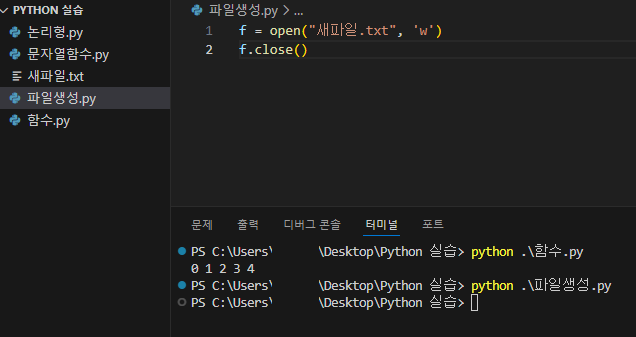
파일 생성
- 메모장, VSC, 기타 에디터 등을 사용하여 파일을 생성하고, 파일을 생성하는
open()함수를 사용한다. 객체 = open(파일이름, 파일열기모드)는 결과값으로 파일 객체를 반환한다.f.close()함수는 파일 객체를 닫아주며, Python에서 프로그램 종료 시 열려 있는 파일의 객체를 자동으로 닫아주지만, 열려 있는 파일을 직접 닫아주는 것이 좋다.- 쓰기 모드로 열었던 파일을 닫지 않고 다시 사용하려 하면 오류가 발생한다.
f = open("새파일.txt", 'w')
f.close()
| 파일 열기 모드 | 설명 |
|---|---|
r |
읽기 전용 모드 |
w |
쓰기 모드 |
| 해당 파일이 이미 존재하면 원래 내용이 모두 제거되고, 해당 파일이 존재하지 않으면 새 파일을 생성 | |
a |
추가 모드(파일 마지막에 새 내용 추가) |
- 파일 저장 위치를 파일 이름에 같이 작성하면 원하는 위치에 파일을 작성할 수 있다.
- 파일 경로를 표시할 때
C:/Desktop/file.txt나C:\\Desktop\\file.txt로 사용한다.
- 파일 경로를 표시할 때
f = open("C:/Users/user/Desktop/파이썬테스트.txt", 'w')
f.close()
with문을 사용하면 파일 객체의open과close를 함께 처리할 수 있다.
with open("새파일.txt", "w") as f:
	f.write("with 테스트")
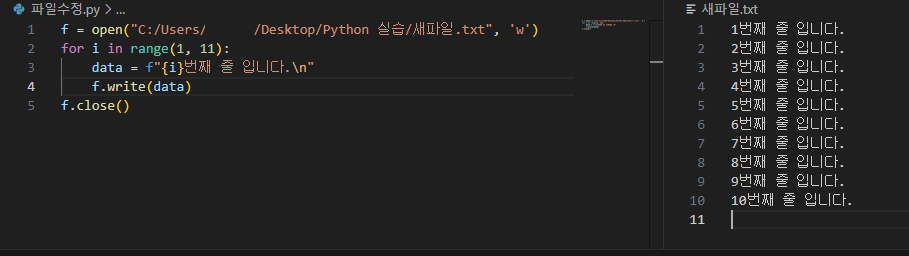
파일에 내용을 새로 작성하기
- 파일을 쓰기 모드(
w)로 연 후에 저장할 내용을 작성하고write()함수로 저장할 수 있다.f.write(값)으로 파일에 내용을 작성할 수 있다.
f = open("C:/Users/user/Desktop/새파일.txt", 'w')
for i in range(1, 11):
	data = f"{i}번째 줄 입니다.\n"
	f.write(data)
f.close()
파일 읽기
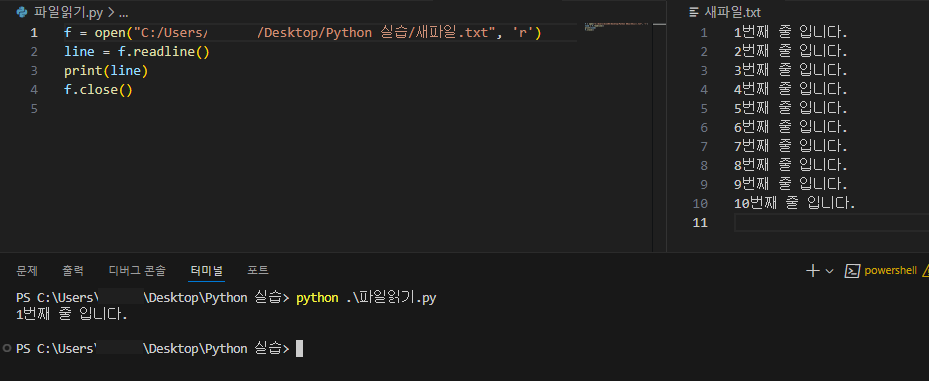
readline()함수를 사용하여 파일의 첫 번째 줄을 읽어 출력할 수 있다.- 파일을 읽을 때
open(파일명, 'r')로 설정해야 파일의 기존 내용이 삭제되지 않는다.
- 파일을 읽을 때
f = open("C:/Users/user/Desktop/새파일.txt", 'r')
line = f.readline()
print(line)
f.close()
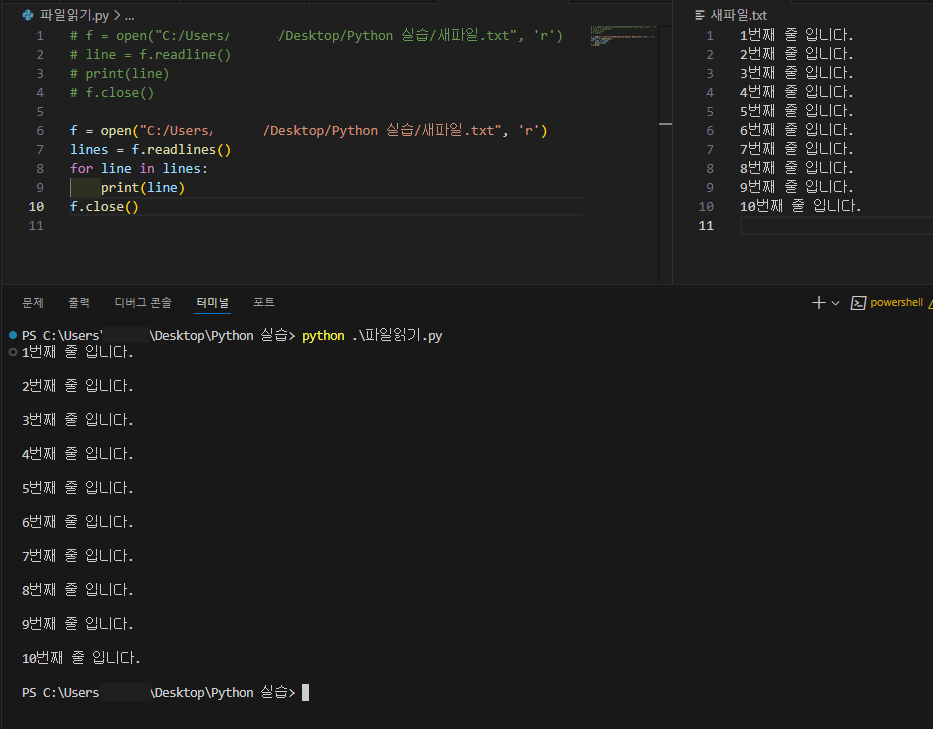
readlines()함수로 파일의 모든 줄을 읽어 출력할 수 있다.readlines()함수는 파일의 모든 줄을 읽어 각각의 줄을 요소로 가지는 리스트를 반환한다.
f = open("C:/Users/user/Desktop/Python 실습/새파일.txt", 'r')
lines = f.readlines()
for line in lines:
	print(line)
f.close()
- 줄바꿈 문자
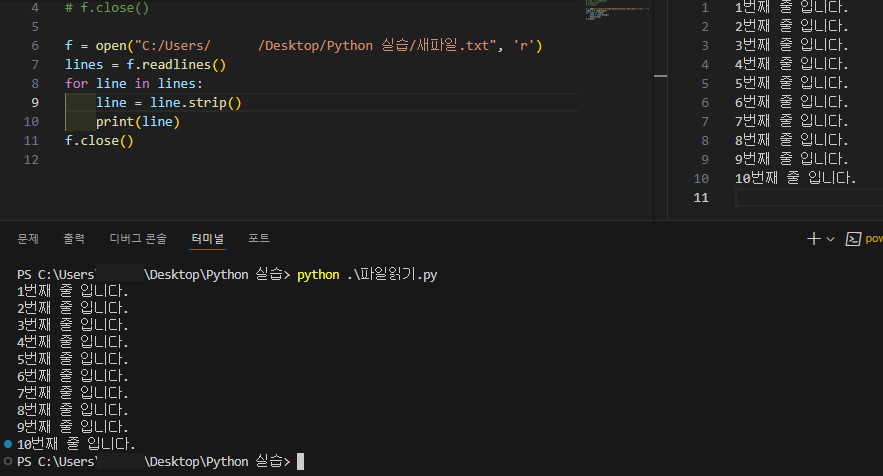
\n를 제거할 때strip()함수로 제거할 수 있다.
f = open("C:/Users/user/Desktop/Python 실습/새파일.txt", 'r')
lines = f.readlines()
for line in lines:
	print(line)
f.close()
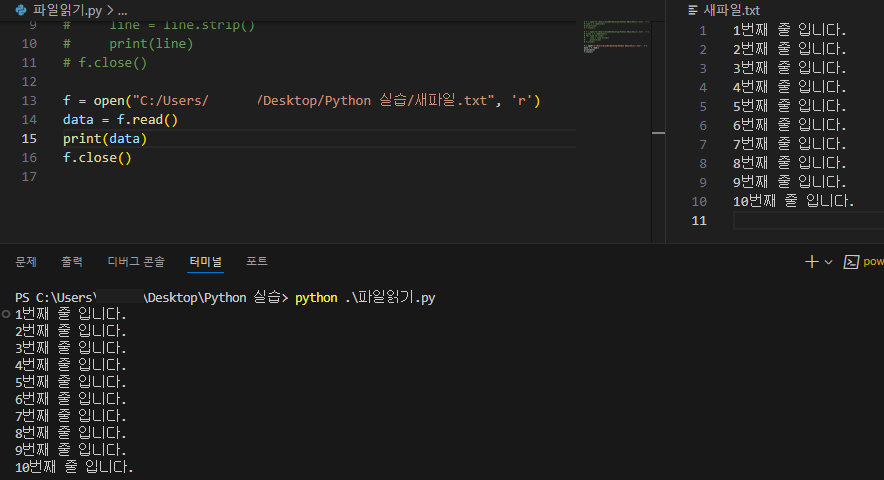
read()함수를 사용하면 파일의 내용 전체를 문자열로 가져올 수 있다.
f = open("C:/Users/user/Desktop/Python 실습/새파일.txt", 'r')
data = f.read()
print(data)
f.close()
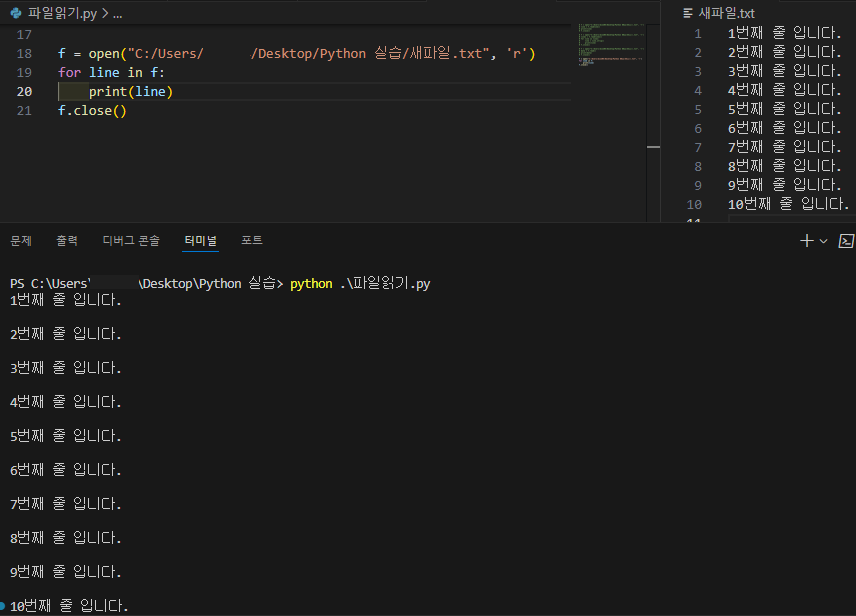
open()이 파일 객체를 리턴하는 것을 이용해 for문과 함께 파일의 모든 내용을 줄 단위로 가져올 수 있다.
f = open("C:/Users/user/Desktop/Python 실습/새파일.txt", 'r')
for line in f:
	print(line)
f.close()
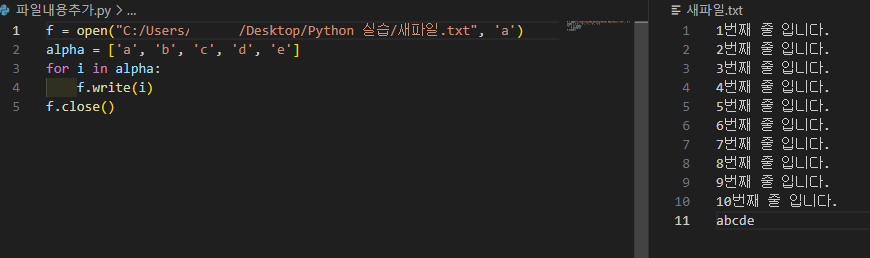
파일의 마지막 줄에 새 내용 추가
- 파일을 추가 모드(
a)로 열면 기존 내용에 새 내용을 추가할 수 있다.
f = open("C:/Users/user/Desktop/Python 실습/새파일.txt", 'a')
alpha = ['a', 'b', 'c', 'd', 'e']
for i in alpha:
	f.write(i)
f.close()